How to change Project Start Date
Posted On November 2, 2020
This post shows how to change the project start date in Microsoft Project.
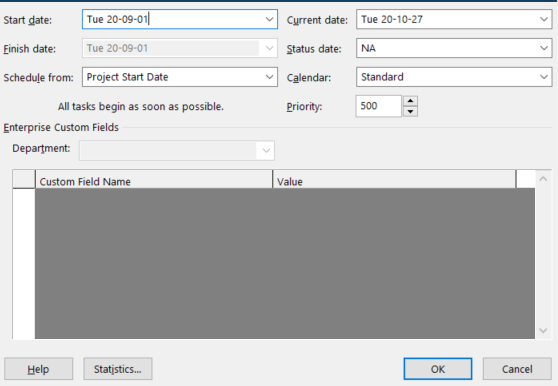
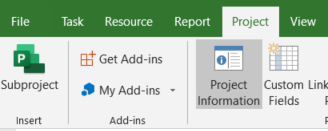
To change the Project Start dates, go to Project > Project Information and change the Start Date.
Following is a step-by-step explanation:
Click on Project and then Project Information
Update the Start Date and click ok