Exploring WordPress Block Manager
WordPress ships a large number of blocks. Many plugins add even more blocks to your WordPress. Therefore, WordPress offers a Block Manager feature that allows you to manage your blocks. To access the Block Manager, click on + New > Post:

The click on the “vertical 3-dot icon” and then Block Manager:
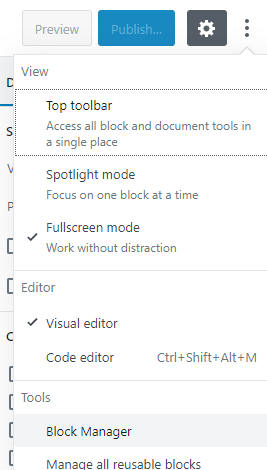
You should now see the Block Manager:

You can now see all the blocks available to you. Only the block that are checked are available to someone writing a post. You can also check / uncheck entire groups of blocks.
Once you uncheck a block, it is not deleted from WordPress. It is simply becomes unavailable to someone creating posts. If you are going to be working with WordPress fairly regularly or wish to limit or streamline what your group can do, it is a good idea to keep only the blocks that you need and uncheck all others. This would give a cleaner interface.