How to add statutory holidays in Microsoft Project
Posted On February 2, 2021
This post shows how to add statutory holidays in Microsoft Project.
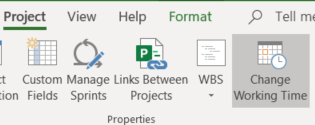
To add a statutory holiday, go to Project > Change Working Time. Go to Exceptions tab and add the holidays.
Following are detailed step by step instructions.
Click on Project > Change Working Time. See Figure below:
Ensure that you are in the Exceptions tab. Then simply add the holidays you wish to add to the project.
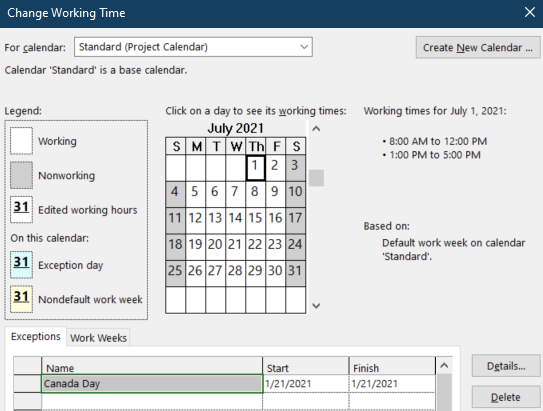
Click OK. That’s all.